apt-get install debian-wizard

Insider infos, master your Debian/Ubuntu distribution

  • About
    • About this blog
    • About me
    • My free software history
  • Support my work
  • Get the newsletter
  • More stuff
    • Support Debian Contributors
    • Other sites
      • My company
      • French Blog about Free Software
      • Personal Website (French)
  • Mastering Debian
  • Contributing 101
  • Packaging Tutorials
You are here: Home / Archives for Random

How to choose your SSH agent with Wayland and systemd

November 10, 2025 by Raphaël Hertzog 4 Comments

If you read the above title, you might wonder how the switch to wayland (yes, the graphical stack replacing the venerable X11) can possibly relate to SSH agents. The answer is easy.

For as long as I can remember, as a long time user of gpg-agent as SSH agent (because my SSH key is a GPG sub-key) I relied on /etc/X11/Xsession.d/90gpg-agent that would configure the SSH_AUTH_SOCK environment variable (pointing to gpg-agent’s socket) provided that I added enable-ssh-support in ~/.gnupg/gpg-agent.conf.

Now when I switched to Wayland, that shell script used in the startup sequence of Xorg was no longer used. During a while I cheated a bit by setting SSH_AUTH_SOCK directly in my ~/.bashrc. But that only works for terminals, and not for other applications that are started by the session manager (which is basically systemd --user).

So how is that supposed to work out of the box nowadays? The SSH agents (as packaged in Debian) have all adopted the same trick, their .socket unit have an ExecStartPost setting which runs systemctl --user set-environment SSH_AUTH_SOCK=some-value. This command dynamically modifies the environment of the running systemd daemon and thus influences the environment for the future units started. Putting this in a socket unit ensures an early run, before most of the applications are started so it’s a good choice. They tend to also explicitly ensure this with a directive like Before=graphical-session-pre.target.

However, in a typical installation you end up with multiple SSH agents (right now I have ssh-agent, gpg-agent, and gcr-ssh-agent), which one is the one that the user ends up using? Well, that is not clearly defined, the one that wins is the one that runs last… because each of them overwrites the value in the systemd environment.

Some of them fight to have that place (cf #1079246 for gcr-ssh-agent) by setting explicit After directives. In the above bug I argue that we should let gpg-agent.socket have the priority since that’s the only one that is not enabled by default and that requires the user to opt-in. However, ultimately there will always be cases where you will want to be explicit about the SSH agent that should win.

You could rely on systemd overrides to add/remove ordering directives but that’s pretty fragile. Instead the right way to deal with this is to “mask” the socket units of the SSH agents that you don’t want. Note that disabling (i.e. systemctl --user disable) either will not work[1] or will not be sufficient[2]. In my case, I wanted to keep gpg-agent.socket so I masked gcr-ssh-agent.socket and ssh-agent.socket:

$ systemctl --user mask ssh-agent.socket gcr-ssh-agent.socket
Created symlink '/home/rhertzog/.config/systemd/user/ssh-agent.socket' → '/dev/null'.
Created symlink '/home/rhertzog/.config/systemd/user/gcr-ssh-agent.socket' → '/dev/null'.

Note that if you want that behaviour to apply to all users of your computer, you can use sudo systemctl --global mask ssh-agent.socket gcr-ssh-agent.socket. Now on next login, you will only get a single ssh agent socket unit that runs and the SSH_AUTH_SOCK value will thus be predictable again!

Hopefully you will find that useful as it’s already the second time that I stumble upon this either for me or for a relative. Next time, I will know where to look it up. 🙂

[1]: If you try to run systemctl --user disable gcr-ssh-agent.socket, you will get a message saying that it will not work because the unit is enabled for all users at the “global” level. You can do it with --global instead of --user but it doesn’t help, cf below.

[2]: Disabling an unit basically means stopping to explicitely schedule its startup as part of a desired target. However, the unit can still be started as a dependency of other units and that’s the case here because a socket unit will typically be pulled in by its corresponding service unit.

Debian on Thinkpad T14

February 1, 2021 by Raphaël Hertzog

I switched my main computer and this time I opted for Lenovo’s Thinkpad T14 that comes with an AMD Processor. It’s the first time that I have 8 cores in my laptop with this AMD Ryzen 7 PRO 4750U CPU and it gives a real performance boost together with the 32GB of RAM.

Despite the fact that it’s a laptop I use it mainly on my desktop where it’s now connected to the “USB-C Dock Gen2” so that I can connect it with a single USB-C cable to power/ethernet/keyboard/mouse and two external displays. I use the display port output and I had some hiccups with the HDMI output where the screen would become blank for a few seconds…

The Linux support of this hardware is rather good so far but I went through a few hiccups when I started using it, in particular I’m not sure what made the external display work as they were not working after the initial install but they ended up working after installing all the packages that I had on my former computer. But the suspend/resume works fine… even when you unplug the laptop from the dock with the lid closed. It might be seen as a given but the suspend/resume was broken on my old X260 (at least on recent kernels, I was able to keep using Linux 4.19 where it worked).

I tried to document relevant information in the wiki, have a look at https://wiki.debian.org/InstallingDebianOn/Thinkpad/T14 and I have uploaded a Linux hardware database probe if you want to look the gory details including the firmware version that I upgraded to before starting any setup.

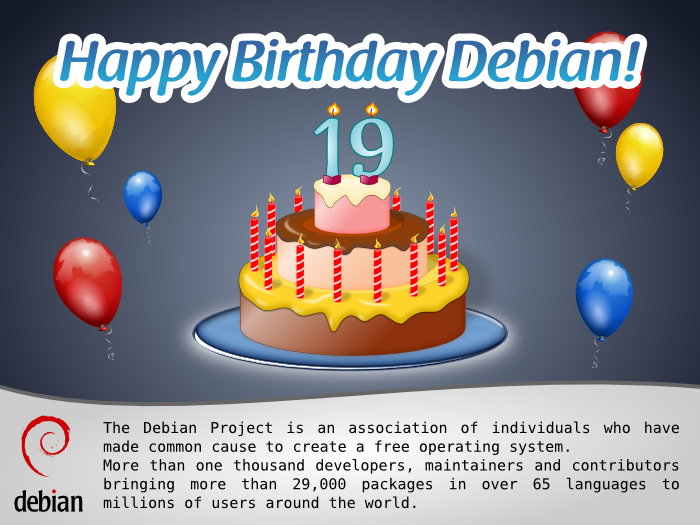
Happy Birthday Debian! And memories of an old-timer…

August 16, 2012 by Raphaël Hertzog

For Debian’s birthday, Francesca Ciceri of the Debian Publicity team suggested that developers “blog about their first experiences with Debian”. I found this a good idea so I’m going to share my own early experience. It’s quite different from what happens nowadays…

Before speaking of my early Debian experience, I have to set some context. In my youth, I have always been a Windows user and a fan of Bill Gates. That is until I got Internet at home… at that point, I got involved in Usenet and made some friends there. One of those made me discover Perl and it has been somewhat of a revelation for me who had only been programming in Visual Basic, Delphi or ObjectPal. Later the same friend explained me that Perl was working much better on Linux and that Debian Linux installs it by default so I should try this one.

I had no idea of what Linux was, but given how I loved Perl, I was eager to try his advice. So I got myself a Tri-Linux CD with Debian/RedHat/Slackware on it and started the installation process (which involved preparing boot floppies). But I did not manage to get the graphical interface working despite lots of fiddling with Xfree86’s configuration file. So I ended up installing RedHat and used it for a few months. But since many of the smart guys in my Usenet community were Debian users, I persisted and finally managed to get it to work!

After a few months of usage, I was amazed at everything that was available for free and I wanted to give back. I filed my first bug report in July 1998, I created my first Debian packages in August 1998 and I got accepted as an official Debian developer in September 1998 (after a quick chat over the phone with Martin Schulze or James Troup — I never understood the name of my interlocutor on the phone and I was so embarassed to have to use my rusty English over the phone that I never asked). That’s right, it took me less than 3 months to become a Debian developer (I was 19 years old back then).

I learned a lot during those months by reading and interacting with other Debian developers. Many of those went away from Debian in the mean time but some of them are still involved (Joey Hess, Manoj Srivastava, Ian Jackson, Martin Schulze, Steve McIntyre, Bdale Garbee, Adam Heath, John Goerzen, Marco D’Itri, Phil Hands, Lars Wirzenius, Santiago Vila, Matthias Klose, Dan Jacobowitz, Michael Meskes, …).

My initial Debian work was centered around Perl: I adopted dpkg-ftp (the FTP method for dselect) because it was written in Perl and had lots of outstanding bug reports. But I also got involved in more generic Quality Assurance work and tried to organize the nascent QA team. It was all really a lot of fun, I could take initiatives and it was clear to me that my work was appreciated.

I don’t know if you find this story interesting but I had some fun time digging through archives to find out the precise dates… if you want to learn more about what I did over the following years, I maintain a webpage for this purpose.

Debian related goals for 2012

January 19, 2012 by Raphaël Hertzog

Like last year, here’s a list of Debian related goals that I’d like to achieve this year. I might not have the time to implement all the projects, but I like to write them down to keep me motivated. And maybe it can inspire other people to implement some of them (or to help me).

  1. Finish the translation of the Debian Administrator’s Handbook

    The target is to have the book available in April. It would be nice to complete the liberation fund until then so that the book is immediately made available under a DFSG-free license.

  2. Update the Debian Administrator’s Handbook for Wheezy
  3. Translating the book in English is only the start of the journey. The real challenge is to keep the book up-to-date with each subsequent release of Debian. And Wheezy should hopefully be released in 2012 since the freeze is in June.

  4. Design and implement the Debian Package Maintenance Hub

    It’s an ambitious project that aims to merge and replace the PTS, the DDPO and their respective mail variants. It should also standardize the flow of information directed towards package maintainers. I’m going to use the DEP process to drive this project.

    This could easily take most of the year, but hopefully I’ll motivate other people to chime in and help.

  5. Implement dpkg --check-db and dpkg --repair-db

    While dpkg is fairly reliable, it’s not exempt of bugs and more annoyingly, harddrives/filesystems are not 100% reliable either, thus it happens that some internal database files get corrupted. Given that most files are text based, advanced users can manually fix them but many less skilled users are just left with a broken system that they tend to reinstall.

    To avoid this, we could provide a command that would try to automatically bring back the internal database to a sane state by looking for a working backup to restore (while at the same time marking some packages as requiring re-installation since we have some indications that they were present).

  6. Implement storage of dpkg’s internal files in Git

    This would be an extension of the former idea. Installing a package dpkg-db-history (any idea for a better name?) would setup dpkg hooks that would record every database change in a git repository. This repository could then be used to restore the last working version of the database.

Besides those concrete projects, I want to do better than last year on the topic of funding my Debian work. I will thus reiterate some objectives:

  1. Write useful articles for Debian users and Debian contributors.

    They should complete the pages Mastering Debian, Contributing to Debian 101, Debian Packaging Tutorials, and help me increase the audience of this blog.

  2. Write at least one Debian-related ebook (different from the Debian Admin Handbook) and sell it.

    It could be an ebook targetting testing users since I believe that many more users could benefit from it if they had some better knowledge of the limitations and of the way to mitigate the problems that arise from time to time.

    Or maybe it could be an ebook for people who want to start contributing to Debian, it could even be bundled with a few hours of mentoring.

  3. By the end of the year, have at least 1/3 of my time funded by donations and/or earnings of my information products.

    This means doing 3,5 times better than in 2011. It should be doable given that the sales of the Debian Administrator’s Handbook will contribute to this goal (once the translation is over).

That makes up lots of challenges for this year. Feel free subscribe to my newsletter to stay up-to-date with my progress and to get my monthly summary of the Debian/Ubuntu news. It’s also a good way to help me reach those goals since you will be informed of all my new projects.

  • 1
  • 2
  • 3
  • …
  • 15
  • Next Page »

Get the Debian Handbook

Available as paperback and as ebook.
Book cover

Email newsletter

Get updates and exclusive content by email, join the Debian Supporters Guild:

Follow me

  • Email
  • Facebook
  • GitHub
  • RSS
  • Twitter

Discover my French books

Planets

  • Planet Debian

Archives

I write software, books and documentation. I'm a Debian developer since 1998 and run my own company. I want to share my passion and knowledge of the Debian ecosystem. Read More…

Tags

3.0 (quilt) Activity summary APT aptitude Blog Book Cleanup conffile Contributing CUT d-i Debconf Debian Debian France Debian Handbook Debian Live Distro Tracker dpkg dpkg-source Flattr Flattr FOSS Freexian Funding Git GNOME GSOC HOWTO Interview LTS Me Multiarch nautilus-dropbox News Packaging pkg-security Programming PTS publican python-django Reference release rolling synaptic Ubuntu WordPress

Recent Posts

  • How to choose your SSH agent with Wayland and systemd
  • Freexian is looking to expand its team with more Debian contributors
  • Freexian’s report about Debian Long Term Support, July 2022
  • Freexian’s report about Debian Long Term Support, June 2022
  • Freexian’s report about Debian Long Term Support, May 2022

Copyright © 2005-2021 Raphaël Hertzog